What’s new
- Automatic Facebook Post Sync
- You can now sync your existing Facebook posts directly into Social Planner.
- Syncs posts from the last 30 days
- Includes posts up to the current day (UTC)
- Extended historical fetch supported during initial sync (where available)
- Runs automatically in the background once enabled
This allows past content to appear alongside scheduled and published posts.
- Daily Sync Refresh
- Post insights refresh automatically every 24 hours, ensuring analytics remain up to date while staying compliant with platform API limits.
- Media & Content Sync
- Synced posts automatically include:
- Post text
- Images
- Videos
Why it matters
Facebook Post Sync helps users:
- Centralize Facebook content inside Social Planner
- Access past posts without manually recreating them
- Analyze historical performance alongside scheduled content
- Improve reporting accuracy for social analytics
- Save time when onboarding new accounts
How it works
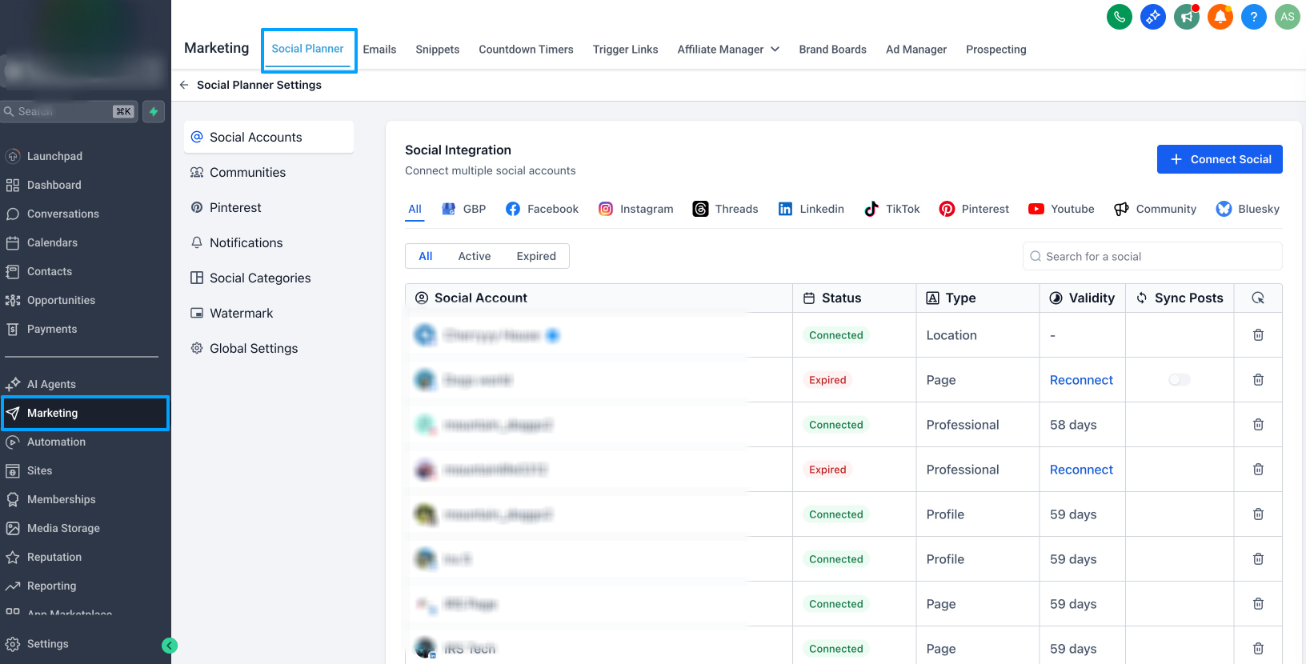
- Go to Marketing → Social Planner → Settings
- Ensure your Facebook account is connected
- Ensure you have enabled Post Sync from Labs
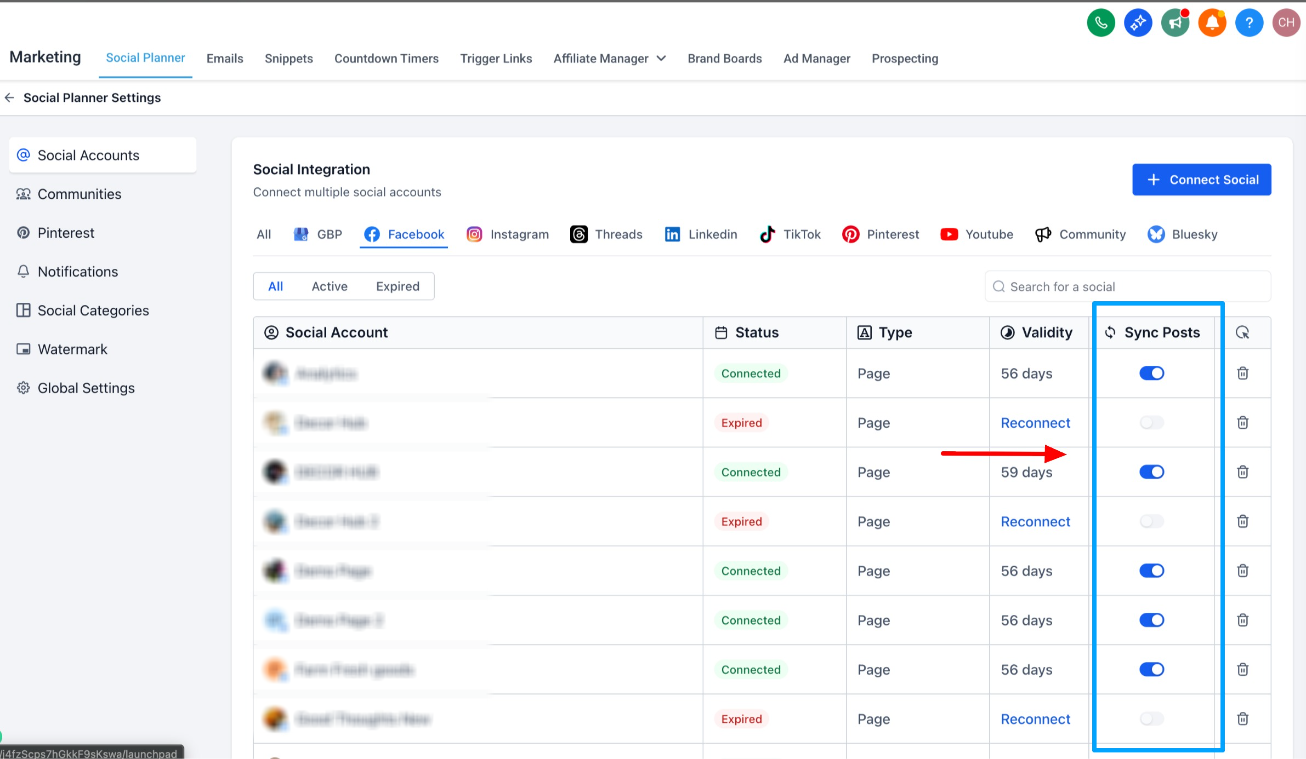
- Background sync will begin automatically
- View synced posts inside Planner and Statistics
- If the connection expires, follow the reconnect prompt to resume syncing.
Was this article helpful?
That’s Great!
Thank you for your feedback
Sorry! We couldn't be helpful
Thank you for your feedback
Feedback sent
We appreciate your effort and will try to fix the article